Brand guidelines
One mushroom, five parts. Every mark in the system — logo, favicon, avatars, neighborhood badges — is built from the same silhouette, cap, spots, stalk, and background.
01Logo lockups
Spored
primary · horizontal · on light
Spored
reversed · on dark
Spored
stacked · app splash, social
mark only · when the name is nearby
02Anatomy — five dynamic parts
The mark is generated from five independent layers: a silhouette (section 03), plus cap, stalk, spots, and background. Cap, stalk, spots, and background each take their own color from the approved palette — stalk and spots are never forced to match — and spots additionally carry their own count (0–6) and shape. Any combination is valid, so users and neighborhoods can build a mushroom that's theirs.
assembled
Cap
any of 8 brand hues
Spots
own color · count 0–6 · circle, ring, sparks, star, triangle, or cross
Stalk
any approved accent color
Background
any approved accent color
03Silhouette
Ten approved cap/stalk silhouettes, each built from the same four-part construction and drawn only in approved palette colors. A mark's silhouette is deterministically assigned alongside its color and spots — never invent an eleventh.
Button
original mark
Parasol
wide, peaked, skirted
Bell
tall, storybook
Chanterelle
upturned funnel
Morel
spots read as pits
Enoki
cluster of three
Porcini
bulbous stalk
Oyster
asymmetric shelf
Puffball
pure circle
Shiitake
scalloped edge
04Spot count & shape
Count and shape are independent choices — any count from 0–6 pairs with any of the six spot shapes, on any silhouette (chanterelle and enoki top out at 3 — their caps have no room for more).
Count
0
1
2
3
4
5
6
Spot shape
circle
ring
sparks
star
triangle
cross
05Color
Chanterelle
#E8542A · cap
Golden
#F2A93B · cap
Moss
#4C8C4A · cap
Amethyst
#8B5FBF · cap
Cocoa
#2B1B12 · cap, stalk, text
Indigo
#4A5FA5 · cap
Russula
#B33A3A · cap
Blusher
#D98A9C · cap
Cream
#FBF2E4 · background, stalk, spots
Wheat
#F2D9A8 · background, stalk, spots
Meadow
#DCEBD3 · background, stalk, spots
Lilac
#C9B3E0 · background, stalk, spots
Oat
#F5E8D3 · background, stalk, spots
Sage
#C8D3BE · background, stalk, spots
Mist
#D8E3E8 · background, stalk, spots
Clay
#E3C9AE · background, stalk, spots
06Favicon & app icon
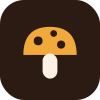 163264app icon
icon.svg — Chanterelle cap on cocoa squircle
Spored — PhinneywoodCream spots and stem on the Chanterelle cap keep the mark legible at 16px. Never use the full-color lockup as a favicon.
07Your mushroom — generated identity
Every member and neighborhood gets a mushroom deterministically assigned from a hash of their account, built from the five parts — silhouette included. Members can override their own with a deliberate choice from the Mushroom avatar section in account settings. Community mosaics tile members' mushrooms, across all ten silhouettes, into a banner for a business or neighborhood.
example specimen
community mosaic · seed-generated from member mushrooms, all ten silhouettes in rotation
08Usage
Do
· Build every mark from the five parts, choosing a silhouette only from the ten approved shapes
· Keep the logo lockup and favicon on the Button silhouette regardless of any avatar variety
· Use one cap hue per mark; stalk and spots each take any approved accent color
· Keep clear space around the lockup equal to the cap height
· Use the cocoa-squircle favicon in browser and OS contexts
Don't
· Don't add faces, outlines, gradients, or shadows to the mushroom
· Don't use colors outside the palette for cap, stalk, or background
· Don't stretch, rotate, or tilt the mark
· Don't put a low-contrast cap on a matching background tint
Spored